
Download LookRight – Instant AI Feedback for Visual Content, Free & Secure
Introduction
In today’s visual‑first social media landscape, the speed and accuracy of image feedback can determine whether a post goes viral or simply disappears in the endless scroll. Creators, marketers, and even casual Instagram users constantly search for a reliable way to evaluate outfits, product shots, and any visual asset without waiting for friends, hiring costly stylists, or conducting time‑consuming focus groups. That’s where LookRight steps in.
This AI‑powered assistant evaluates your images in seconds, offering style scores, composition tips, and even ready‑to‑post captions. The platform is built on state‑of‑the‑art computer‑vision models that stay current with fashion trends, design principles, and marketing best practices, ensuring that every suggestion feels fresh and relevant. Whether you are a fashion influencer preparing daily looks, an e‑commerce manager polishing product listings, or a hobbyist wanting a quick confidence boost before posting, LookRight delivers a data‑driven opinion that’s consistent, objective, and available 24/7.
Its cloud‑based architecture means you never need a powerful workstation—any device with an internet connection can upload an image and receive actionable feedback instantly. Moreover, LookRight places a strong emphasis on privacy: all uploads are encrypted, processed on secure servers, and automatically deleted after analysis unless you choose to keep a report. By eliminating the guesswork and shortening the feedback loop, LookRight empowers creators to maintain a steady publishing cadence, improve visual quality, and ultimately boost engagement across platforms.
What Is LookRight? – An Instant AI Feedback Engine for Visual Content
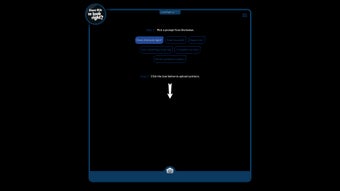
LookRight is an innovative software application that leverages cutting‑edge computer‑vision algorithms to deliver immediate, context‑aware feedback on any image you upload. The platform supports a range of prompts such as “Does this look right?”, “Rate my outfit”, and “Write a product caption”, allowing users to tailor the analysis to their specific needs. Once an image is submitted, the AI scans the picture, identifies key visual elements, and generates a concise evaluation that can include aesthetic scores, style suggestions, and even copywriting ideas. The feedback is presented in plain language, making it easy for non‑technical users to understand and act upon.
The core value proposition of LookRight lies in its speed and objectivity. Traditional feedback loops—asking friends, hiring stylists, or posting to focus groups—can take hours or days and are often biased. LookRight eliminates that lag by providing a 24/7, data‑driven opinion that is consistent across every session. This not only saves time but also helps creators maintain a steady publishing cadence, crucial for platforms that reward frequency and relevance. Moreover, the AI is continuously updated with the latest fashion trends, design principles, and marketing best practices, ensuring that the suggestions stay fresh and industry‑aligned.
From a technical standpoint, LookRight runs on secure cloud servers, meaning you never need to install heavy software locally. All image data is encrypted during upload and processing, complying with GDPR and other privacy regulations. The service is offered through a web interface and mobile apps, giving you the flexibility to get feedback on the go or from the comfort of your desktop. In short, LookRight positions itself as a versatile, secure, and user‑friendly tool that bridges the gap between creative intuition and data‑backed improvement.
Core Features and How to Use LookRight Effectively
Feature Highlights
- Multiple Prompt Options: Choose from “Does this look right?”, “Rate my outfit”, “Write a product caption”, and more to receive targeted feedback.
- Real‑Time Analysis: Get AI‑generated insights within seconds of uploading an image.
- Style Scoring: Numerical ratings (0‑100) that reflect aesthetic quality, color harmony, and composition.
- Caption Generation: Automatic copy suggestions optimized for engagement on social media platforms.
- Trend‑Aware Recommendations: AI is trained on current fashion, design, and marketing trends to keep feedback relevant.
- Secure Cloud Processing: All uploads are encrypted, and no data is stored longer than needed for analysis.
- Cross‑Platform Access: Available via web browser, Android, and iOS apps.
- Batch Upload: Analyze multiple images in one session for faster workflow.
- Exportable Reports: Download feedback summaries as PDF or CSV for archiving or sharing with teammates.
Step‑by‑Step Installation & Usage Guide
Getting started with LookRight is intentionally straightforward. Follow these steps to integrate the tool into your daily visual workflow:
- Create an Account: Visit the LookRight website or download the mobile app from Google Play or the Apple App Store. Register using an email address or single‑sign‑on (SSO) options like Google or Apple ID.
- Choose a Subscription Plan: While LookRight offers a limited free tier (5 analyses per month), premium plans unlock unlimited analyses, higher resolution processing, and priority support. Payment is handled securely via Stripe or PayPal.
- Upload Your Image: Click the “Upload” button on the dashboard or use the mobile app’s camera shortcut. Supported formats include JPEG, PNG, and HEIC, with a maximum file size of 10 MB for free users.
- Select a Prompt: From the dropdown menu, pick the analysis type that matches your goal—whether you need a style rating or a caption draft.
- Review AI Feedback: Within seconds, the platform presents a concise report. For outfit ratings, you’ll see a style score, color‑pair suggestions, and accessorizing tips. For caption requests, you’ll receive three ready‑to‑post copy options.
- Iterate and Export: If needed, tweak the image (adjust lighting, crop, or change attire) and re‑run the analysis. When satisfied, export the report for record‑keeping or share it directly to Instagram, Facebook, or LinkedIn via the integrated sharing button.
Because LookRight is cloud‑based, there’s no heavy installation required on your device. The web version works on any modern browser, while the mobile apps are lightweight (under 30 MB) and automatically update to the latest AI models. This ensures that you always benefit from the most recent improvements without manual intervention.
Supported Operating Systems
LookRight is built to run on a wide range of platforms, ensuring you can access AI feedback wherever you work:
- Windows 10 and later (via any modern browser such as Edge, Chrome, or Firefox)
- macOS 11 (Big Sur) and later (Safari, Chrome, Firefox)
- Android 8.0 (Oreo) and later (Google Play Store app)
- iOS 13 and later (Apple App Store app)
Because the heavy lifting happens on LookRight’s secure servers, local hardware requirements are minimal—just a stable internet connection and a device capable of uploading images.
Pros and Cons
Pros
- Instant, data‑driven feedback reduces reliance on subjective opinions.
- Multiple prompt options cater to fashion, product, and social‑media needs.
- Secure, GDPR‑compliant processing protects user privacy.
- Cross‑platform availability ensures flexibility for on‑the‑go creators.
- Regular AI model updates keep recommendations aligned with current trends.
Cons
- Free tier limits the number of analyses per month, which may be restrictive for power users.
- AI suggestions, while accurate, may sometimes lack the nuanced creativity of a human stylist.
- Batch processing speed can vary based on server load during peak times.
FAQ – Your Questions About LookRight Answered
How does LookRight protect my uploaded images?
All images are encrypted during transit (HTTPS) and while being processed on LookRight’s servers. The platform adheres to GDPR and does not retain the original files after the analysis is completed, unless you explicitly choose to save a report.
Can LookRight be used for professional photography studios?
Absolutely. Studios can leverage the batch‑upload feature to evaluate large collections of product shots or portfolio images, and the exportable PDF reports are ideal for client presentations or internal quality control.
Is there an API for integrating LookRight into my own app?
Yes, LookRight offers a RESTful API for enterprise customers. The API provides endpoints for image upload, prompt selection, and retrieving structured feedback, enabling seamless integration into custom workflows.
What happens if the AI misinterprets my image?
Because the AI is constantly retrained on a diverse dataset, misinterpretations are rare. However, users can provide feedback on the analysis, which is used to improve future model accuracy. You can also re‑run the analysis after making minor adjustments to the image.
Do I need a powerful computer to run LookRight?
No. LookRight’s processing happens in the cloud, so any device capable of uploading images and browsing the web can use the service. This includes older laptops, tablets, and smartphones.
Final Thoughts – Should You Download LookRight?
LookRight delivers a compelling blend of speed, accuracy, and convenience for anyone who lives by visual storytelling. Its AI engine provides actionable insights that can sharpen fashion choices, polish product listings, and spark engaging social‑media captions—all without the need for a human consultant. While the free tier is modest, the premium subscription is reasonably priced for the value it adds, especially for professionals who rely on high‑volume image assessment.
If you’re looking to streamline your visual content workflow, eliminate guesswork, and stay ahead of design trends, LookRight is worth a try. The secure, cross‑platform design ensures you can access feedback anytime, anywhere, and the exportable reports make it easy to document progress or share findings with teammates.
Ready to see how your images stack up? Download LookRight now and start receiving instant, AI‑powered feedback that helps you look right—every time.
LookRight stands out as a reliable AI companion for visual creators. Its rapid analysis, diverse prompt library, and secure cloud architecture make it a practical tool for both casual users and professionals. Minor drawbacks include the limited free quota and occasional generic suggestions, but these are outweighed by the overall convenience and accuracy.
Pros
- Lightning‑fast feedback
- Multi‑prompt flexibility
- Secure, privacy‑first design
- Cross‑device accessibility
Cons
- Free tier caps daily usage
- AI may lack nuanced creative flair






